
Master Social Media Database For Effective PR Outreach
December 18, 2025
A social media database is a centralized hub of contact details, social handles and outreach history that helps PR teams assemble precise media lists. Filter by beat, platform activity and region to generate ready-to-use segments in seconds. This replaces manual profile searches with a consistent, data-driven approach.
Understanding Social Media Database Basics
At its core, a social media database relies on a handful of essential fields to make every outreach effort count. By logging these details, you can craft more personalized pitches, keep track of journalist engagement and measure your PR impact over time.
- Contact Info: Full name, email address and phone number so you never miss your mark.
- Social Handles: Profiles on X, LinkedIn, Instagram and others to adapt your message by channel.
- Engagement Data: Follower counts, post frequency and interaction rates that help qualify prospects.
- History Records: Dates, results and notes from prior pitches to keep your follow-ups on point.
Key Database Benefits
This setup shaves hours off list building and often lifts response rates. Imagine a tech PR lead slicing through 500 journalist profiles in under ten seconds by mixing beat and region filters.
Looking at the bigger picture, global social media usage continues to climb. In 2025, platforms hosted 5.24 billion active users, up from 2.08 billion in 2015—a 4.1% annual increase. That’s a clear signal of where PR opportunities lie. Dive deeper into these trends with Backlinko’s social media user growth analysis.
If you want more tactical tips on pitching, check out our media outreach guide.
Here’s how those fields actually show up in your system:
Core Components Of Social Media Database
Here’s a quick look at the essential fields every PR professional should include:
| Component | Description | Purpose |
|---|---|---|
| Contact Info | Full name, email, phone | Reach individuals |
| Social Handles | Usernames on X, LinkedIn, Instagram | Personalize channel pitches |
| Engagement Data | Follower counts, interactions | Qualify outreach targets |
| History Records | Logs of past pitches and responses | Avoid repetition and improve timing |
These core elements form the foundation for any targeted outreach campaign.
Applying Your Core Components
With your database live, you can slice contacts by industry, location or recent engagement to build highly focused segments. Export those lists into your CRM or pitching tool in a couple of clicks.
Don’t let old entries clutter your efforts. Set a quarterly routine to remove inactive profiles and refresh consent flags—especially with evolving privacy regulations.
A well-maintained database translates into smoother outreach and higher PR wins.
Set Up Your Social Media Database
Getting crystal-clear goals at the start keeps your data tidy and your team on the same page. Decide whether you need to track journalists, niche bloggers or industry influencers—and tailor your approach to each campaign.
At one Silicon Valley PR agency, they sketched out three use cases—product launches, event coverage and thought leadership—before picking a CMS that offered custom fields and API hooks.
“Investing time in planning upfront prevents messy data later and gets everyone moving faster.”
- Product Launches: Follow reporters covering new features in real time
- Event Coverage: Monitor on-site press activity and identify follow-up angles
- Thought Leadership: Pinpoint columnists and guest authors for contributed pieces
Define Database Goals
Describe how each team will tap into the database, then attach clear success metrics. Maybe that’s a 20% open rate on pitches or securing 10 articles per quarter.
Outline scenarios like “Team A needs real-time updates on tech bloggers” or “Team B wants to filter by past engagement.” This keeps everyone aligned.
Design Your Data Schema
Before you click into your CMS, sketch the structure on paper or whiteboard. Clearer visuals help you spot gaps early.
Make sure you include:
- Contact Info: Names, emails and phone numbers
- Social Handles: Platform identifiers for Twitter, LinkedIn, Instagram
- Engagement Metrics: Follower counts and average interaction rates
- Past Outreach Logs: Dates, pitch angles and responses
- Consent Flags: GDPR or CCPA opt-in markers
Assign field types—text, number, date—to tighten up data validation.
Organize Naming Conventions
Consistent names save hours of searching. Try prefixes by region (US_, EU_, APAC_) followed by topic (Tech_, Health_).
One PR lead shaved search time by 50% after enforcing a folder hierarchy of CampaignName_Date_Status.
Implement Version Control
Turn on audit logs or sync changes through Git so you can track every schema tweak. Require a comment on each update so the “why” is always clear.
Choose a CMS with solid API support. Automate profile imports, set alerts for schema changes and link in:
- Custom team notes
- Pitch templates
- PressBeat workflow URLs
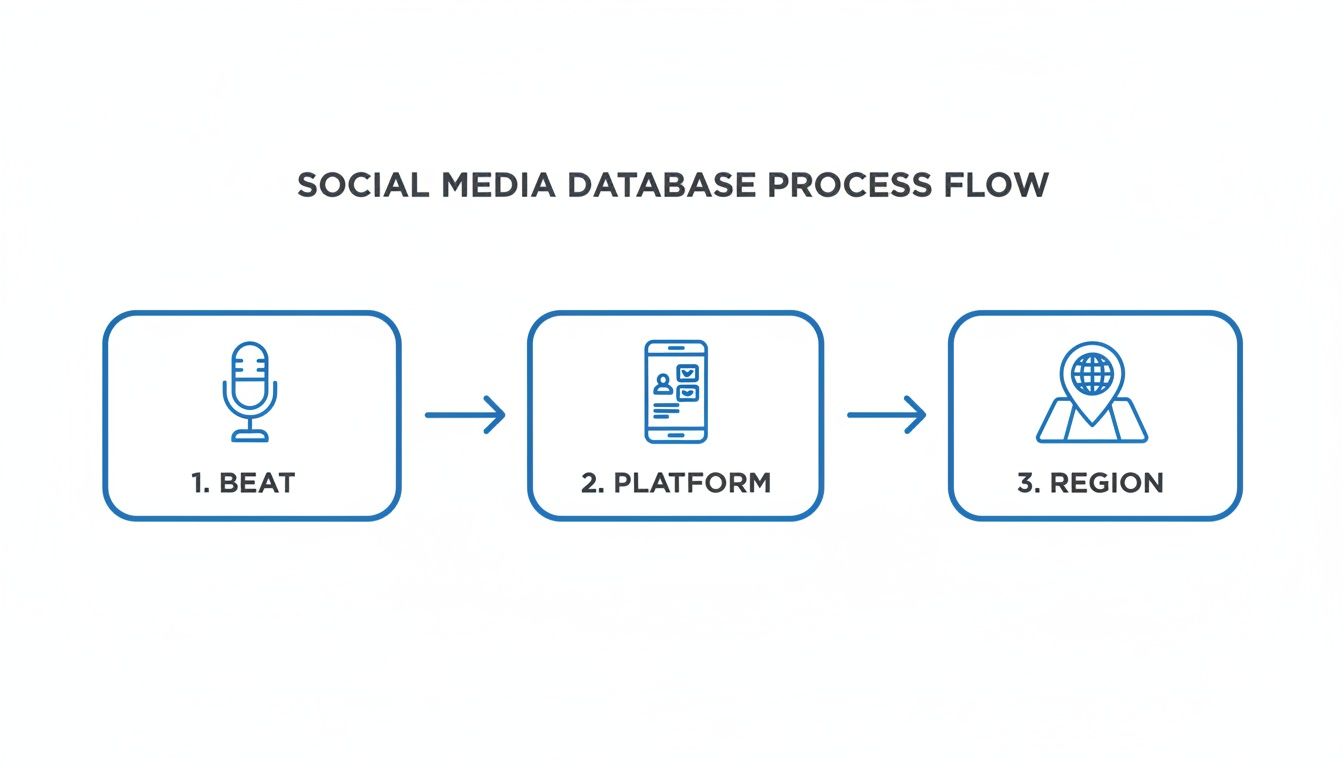
This diagram shows how tagging by beat, platform and region gives you lightning-fast filters for list building.
- Conduct a pilot test with a small dataset before a full rollout
- Review your schema and goals every quarter to stay responsive
- Populate with verified profiles and train the team on list management
Stay flexible. Happy pitching!
Source Social Media Profiles
Building a rock-solid social media database starts with finding profiles you can trust. Mix manual sleuthing with automated tools to capture both niche voices and high-volume contacts.

Identify Profiles With Boolean Strings
When you need someone who covers a very specific topic, Boolean searches are your friend. On LinkedIn and Twitter, try queries like:
"AI journalist" AND "TechCrunch"
That pulls up reporters writing about AI at TechCrunch. From there you can:
- Manual Search: Dive into bios for context—it’s slower, but you’ll spot nuances a scraper might miss.
- Scraping Tools: Automate large pulls—but double-check to avoid gaps or duplicates.
- Paid Lists: Get bulk contacts fast, though you might pick up stale entries.
In practice, blending these methods delivers the broadest, most relevant set of profiles.
Export And Enrich Data
Once you have raw results, export them as CSV or connect via API feeds for live updates. This keeps follower counts, engagement rates and job titles fresh.
“One PR team added 1,200 validated profiles in under a week by blending manual checks with an automated enrichment tool.”
- Download CSV exports from your scraping solution.
- Run enrichment through services like Clearbit or Hunter.io.
- Merge enriched records back into your database using unique IDs.
After that, skim bios for beat relevance and flag high-engagement contacts as top targets.
Comparison Of Data Collection Methods
No single approach fits every campaign. This table helps you weigh key options before you commit.
Comparison of Data Collection Methods
| Method | Pros | Cons | Best Use Case |
|---|---|---|---|
| Manual Search | Context-rich results | Time-intensive | Small niche outreach |
| Scraping Tools | Fast bulk extraction | Risk of duplicates or incomplete entries | Building large databases |
| Paid Lists | Ready-made profiles | Potentially outdated or irrelevant data | Quick initial database build |
Mixing and matching these methods smooths out blind spots, so your outreach hits harder.
Validate Profiles
Before you commit a contact to the final list, verify they’re active and on-topic. Scan bios for keywords such as “editor” or “industry analyst,” and confirm they’ve posted in the last 30 days.
- Review recent posts for alignment with your beat and engagement levels.
- Check follower counts against your influence threshold.
- Analyze posting frequency with free tools like Followerwonk.
“Quality beats quantity when building a social media database.”
Keep your Boolean string handy as a template: "AI reporter" AND "Ecommerce" AND (site:linkedin.com OR site:twitter.com)
Use Reliable Scraping Tools
When you’re after volume, automated scrapers are indispensable. Templates from PhantomBuster can pull thousands of profiles in minutes. Octoparse offers a point-and-click interface—just watch out for hidden pagination.
- Honor API rate limits to avoid temporary blocks.
- Rotate proxies in scrapers to keep access steady.
- Log each session so you can catch errors and retry failed pulls.
Pair these tactics with manual spot-checks and third-party enrichment to fill in missing fields like email and role. This hybrid approach lets PR teams scale from dozens to thousands of entries in days, setting the stage for precise segmentation and compliant automation.
Verify And Segment Your Data
Trust with journalists starts the moment you hit “send.” A single bounced email or an inactive social handle can undo hours of research. That’s why verification is non-negotiable.
By catching bad addresses and typos early, you keep your sender reputation intact and save time on follow-ups.
- Hunter pings addresses to confirm deliverability and even suggests fixes.
- ZeroBounce filters out spam traps and flags toxic emails to protect your reputation.
- Custom regex patterns spot malformed Twitter or Instagram handles before they slip through.
With noise removed, you can focus on high-value contacts who actually open and respond.
Verification Methods
Start by exporting your raw list as a CSV file. Then connect your chosen email-verifier API—batch runs overnight let you sleep while the tool does the work.
Next, build recurring checks into your automation workflows. When a record bounces or fails your custom patterns, tag it as “needs review” and pull it out of live segments.
“Consistent verification can cut bounce rates by over 70% and boost open rates,” says one PR lead.
Cleaning your data sets the stage for meaningful segmentation.
Segmentation Strategies
Once your list is scrubbed, group contacts into logical clusters that reflect their behavior and interests.
I often filter for:
- Platform Usage: Twitter contacts with 5,000+ followers who tweet about tech weekly.
- Posting Frequency: Instagram creators who publish at least once per week.
- Audience Demographics: Age, location and industry niche.
- Engagement Levels: Average likes, shares and comment rates.
- Campaign Performance: Response rates from previous outreach waves.
These slices let you craft pitches that resonate. A tech columnist on Twitter expects data-rich angles, while an Instagram influencer wants strong visuals.
In 2025, social media added 256 million new users—a 5.2% annual increase—equating to 8.1 fresh sign-ups every second. That pushes the total to 5.22 billion out of 5.52 billion internet users (67.5% penetration). These figures underscore social media’s role as a primary communication hub. Learn more about these social media statistics on ClearVoice.
Key Takeaways
- Verification and segmentation reduce wasted outreach.
- Tailored lists drive open rates and responses.
- Regular reviews keep data fresh and compliant.
Now you have a verified, segmented social media database ready for targeted PR workflows. Plug these segments into PressBeat for automated pitch timing and live performance tracking—so every journalist gets the right message at the right moment.
Automate Your Database And Ensure Compliance
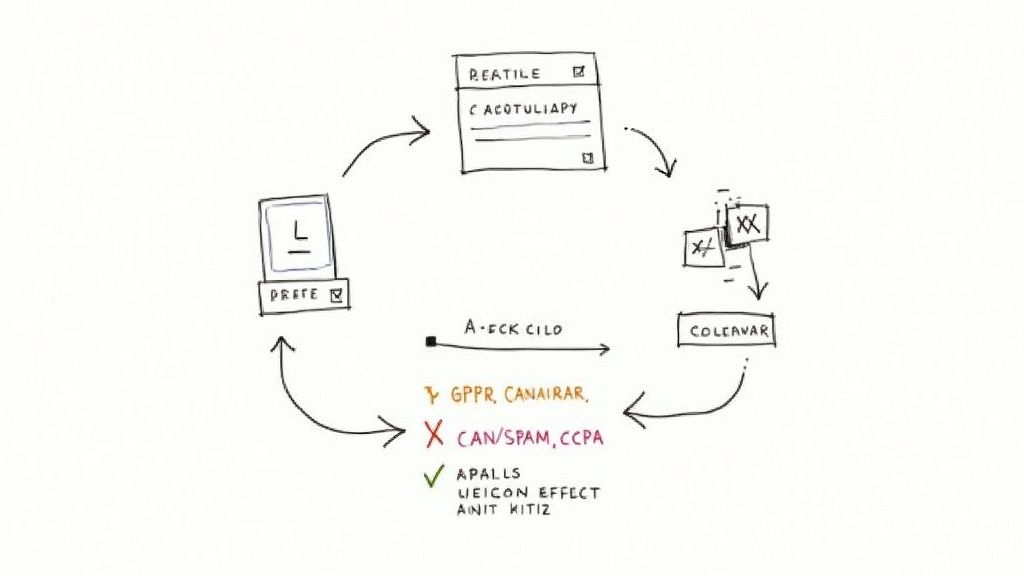
As your list grows beyond a few dozen contacts, manual upkeep quickly becomes a full-time job. Automation not only keeps details current but also highlights new outreach angles.
Link your database to tools like Zapier or native social APIs to pull in fresh stats—no extra clicks required.
- Refresh engagement metrics every hour
- Monitor bio updates to spot job moves or beat changes
- Tag profiles inactive for 90 days for a quick review
Ensure Data Privacy And Compliance
Staying on the right side of GDPR, CAN-SPAM and CCPA means tracking consent and retention at every turn.
- Record where each contact opted in—newsletter signup, event badge scan, etc.
- Apply region-specific retention schedules (12–36 months) by data type
- Build instant opt-out workflows that flag unsubscribes in real time
“Maintaining audit trails reduces legal risk and builds trust,” notes a seasoned PR manager.
Maintain Audit Trails And Scheduled Cleanups
Every automated update should log who did what—and when. That way, you can trace exactly how a contact’s status evolved.
- Timestamp each API call and data pull
- Save confirmation logs whenever consent is granted or withdrawn
- Trigger quarterly cleanups for outdated or inactive contacts
| Regulation | Retention Period | Action |
|---|---|---|
| GDPR | 12 months | Review |
| CAN-SPAM | 24 months | Purge |
| CCPA | 36 months | Archive |
You can also set alerts for missing consent flags—ensuring every profile meets privacy standards before you hit “Send.”
Looking for a comparison of automation platforms? Check out our guide on PR automation tools top five platforms compared.
Regularly sample 50 profiles each month to catch errors early and avoid embarrassing outreach slip-ups. By combining automated updates, compliance guardrails and scheduled cleanups, you protect your brand and boost PR results.
Review compliance policies twice a year to stay ahead of new rules and platform changes. Finally, set up dashboard alerts for bounce rates and opt-out requests so you can spot issues in real time. Your social media database will stay accurate, lawful and primed for high-impact outreach.
Build Outreach Workflows With PressBeat
PressBeat taps into your social media list to sharpen PR touchpoints. You can slot in segmented groups, launch targeted campaigns, and monitor every delivery from one unified view.
- Use a release template—whether it’s a newswire bulletin or a product debut—and tweak fields to fit each audience segment.
- Set up triggers that fire whenever a contact’s sentiment score or engagement metric crosses your chosen threshold.
- Automate bespoke email messages the moment someone mentions your brand online.
This dashboard snippet highlights how those triggers sync with peak interaction windows. That way, your pitch lands exactly when attention is highest.
Example Workflow Variations
One software PR lead saw a 30% lift in replies after syncing tech columnist lists with Twitter engagement spikes. They discovered that sending midday pitches on Wednesdays around 10 AM delivered the best response rates.
“Timing outreach to engagement peaks transformed our response rates,” shares one PR manager who implemented this tweak.
To replicate:
- Hook up real-time mentions through API or CSV imports.
- Segment profiles by recent interaction patterns.
- Roll out three mini-campaigns:
- Early-adopter teasers
- Launch-day announcements pegged to local high-traffic windows
- Follow-ups shaped by the contact’s latest posts
Tips For Pitch Timing
A lifestyle brand triggered alerts for hot Instagram stories, then reached out within 30 minutes of each spike. The result? Story angles that felt timely and relevant.
Learn more about structuring social media releases in our guide on social media release formats: Social Media Release Format Guide
Linking dynamic engagement fields directly to email merge tags makes every outreach note feel custom. Also, set up weekly campaign reviews to fine-tune thresholds and tweak templates.
Do this and you’ll see more opens, replies, and earned coverage. Track metrics consistently, share wins with your team, and keep iterating. That’s how you transform data-driven workflows into real PR momentum.
Frequently Asked Questions
Q: How do I keep my social media database up to date?
I run a quick API check each month to flag outdated records. Then I pass contacts through an email-verification tool before any outreach—no one wants bounced pitches.
Q: What Are The Must-Have Data Fields?
- Full Name: Ensures you address contacts correctly
- Contact Email: Your direct line for pitching
- Primary Social Handles: Tailor messages to each platform
- Engagement Metrics: Follower counts, like rates, comment ratios
- Location: Useful for regional segmentation
- Beat Tags: Filter by topic expertise
- Consent Flags: Essential for GDPR/CAN-SPAM compliance
CRM Integration
Q: How can I integrate this database with my CRM?
I usually export a CSV or connect via Zapier. Then I map each field to its match in Salesforce, HubSpot, or Pipedrive. Once it’s set up, records sync automatically—no more manual imports.
Tip Use unique IDs to stop duplicates in their tracks. Enable bi-directional updates so both systems mirror each other.
ROI Measurement
Q: How do I measure ROI from this database?
Start by tracking open and response rates on your segmented lists. Then compare the time saved through automation against manual outreach.
I always benchmark against a generic campaign. If my social-targeted pitches see a 20% bump in replies, I know it’s working.
Key Metric Compare a 20% lift in response rates for social-segmented lists vs. unsegmented groups.
Final Tips
- Review and refresh segments quarterly to keep them relevant.
- Archive a full database snapshot each month.
- Train your team on updates and privacy checks.
- Automate reminders so no follow-ups slip through the cracks.
By tackling these FAQs, you’ll maintain a lean, accurate social media database. Try these tactics to slash manual work and amplify your PR results.
Ready to elevate your press outreach? Try PressBeat for AI-driven media pitching and real-time performance tracking. https://pressbeat.io